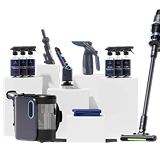
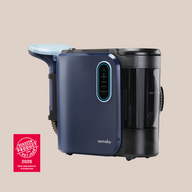
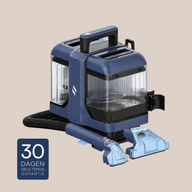
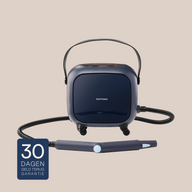
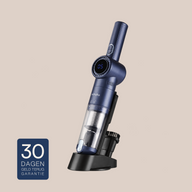
The PowerClean Pro cleans with hot water and steam, from sofas and carpets to tiles and grout. Below, you’ll learn how to use it, which setting to choose and when, and what its specifications are.
How to use the PowerClean Pro
1. Choose the right setting
Choose the desired cleaning setting: hot water, steam, or cold water, depending on the stain and surface.
2. Spray the stain
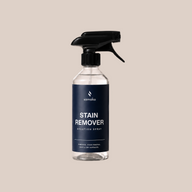
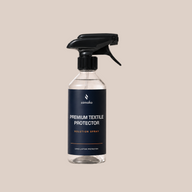
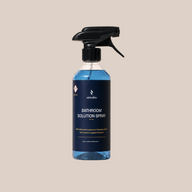
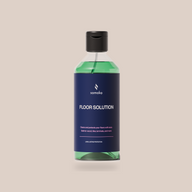
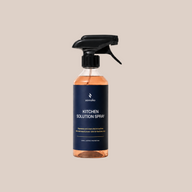
Spray the stain with the Samako Solution Spray and let it soak in for a few minutes.
3. Clean the stain
Turn on the PowerClean Pro and let the PrecisionClean Technology and powerful steam function do their work. This makes it easy to remove dirt, stains, and allergens.
4. Using the steam function
Use the steam function for deep cleaning in the bathroom or for other stubborn stains.
Specifications
Power: 1800W powerful motor
Suction technology: PrecisionClean technology for deep cleaning
Steam technology: Nano-steam technology for removing bacteria
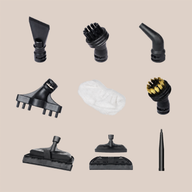
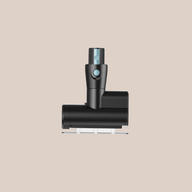
Attachments: 2 interchangeable attachments for large and small surfaces (additional attachments can be ordered separately)
Cord length: 5 meters for extra reach, with cord storage
Water tank: 2 removable tanks for clean and dirty water
Voltage: 220–240V
Safety: soft bristles, suitable for all fabric types
Q
What can I use the PowerClean Pro for?
The PowerClean Pro has various modes and attachments. Below is a list of everything you can clean:
Sofas
Chairs
Car upholstery
Stair carpeting
Carpets and rugs
Curtains
Descaling the shower screen
Tiles and grout
Steaming clothes
Gas stove
Q
Which water tank should I fill?
The PowerClean Pro has two tanks: a clean water tank (for the water you use during cleaning) and a dirty water tank (which collects the dirt that is vacuumed up). The tank indicates whether it is the clean water tank or the dirty water tank. Always fill only the clean water tank. Empty the dirty water tank after use. Use water only, without adding cleaning agents or perfume.
Q
What settings does the PowerClean Pro have, and when should I use each one?
The device has four modes. Cold water + suction is ideal for light stains and daily cleaning. Use hot water + suction for more stubborn dirt. Steam + suction is the most powerful setting for deep cleaning and daily disinfection. Use steam only on hard surfaces such as tiles, grout, and windows.
Q
How do I attach the accessories?
The two upholstery brushes (large and small) can be connected directly to the appliance. All other attachments, such as the crevice brush, round steam brush, and curved nozzle, must first be attached to the high-pressure steam cleaner, which you then connect to the hose. Additional attachments are available separately in our webshop.
Q
Is my sofa or carpet still a little damp after use—is that normal?
Yes, that is normal. The surface may still be slightly damp after cleaning. Use the suction setting to extract as much moisture as possible, then let it dry for 2 hours. A spot should not become too wet, but it should definitely not be too dry during cleaning either, as the dirt will then be less effectively extracted from the fabric.
Q
The handle gets hot during steaming—is that normal?
Yes, that is normal. The steam function produces high temperatures, so the handle may feel warm.
Q
How long does it take for the steam function to work?
After switching it on, it takes about 1 minute for the device to reach the correct temperature and produce steam. Please wait a moment before you begin.
Q
On which materials should I not use the PowerClean Pro?
Do not use the device on genuine leather, suede, nubuck, silk, velour/velvet, satin, or materials with a wax coating. Steam may damage, discolor, or shrink these materials. Unsure? Always test on a small, inconspicuous area first and wait 5 minutes before continuing.
Q
Can I add cleaning solution to the water?
No. Use only water in the reservoir. You can use Samako Solution Spray on the surface itself, but never add detergent, chemicals, or perfume to the water tank.
Any questions?
We’re happy to help.
Our team is ready to help. Get in touch, and we’ll solve it together.